
Administrators may need to update recordings for holiday messages, IVR’s, Ring Groups, Voicemail Boxes etc. The best way to go about this is to use the recording feature. Any user can dial *732 from their handset and enter the pre-defined password (the administrator should contact Voiceflow support to acquire this PIN). When a user dials *732, enters the correct PIN and records the message they will need to press # to stop the recording and will be prompted to enter a recording ID, this can be any number for example if the user entered 25 and # the recording will show up in the Recording section as Recording25.wav. You can then press the edit key  to change the name of the recording.
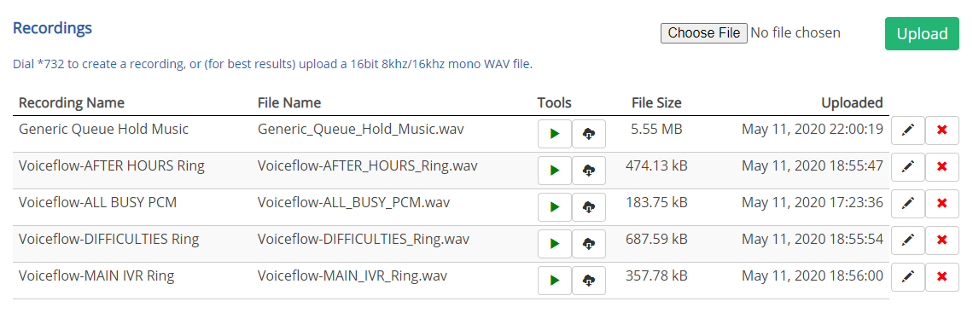
New Recording Process
- Dial *732
- Enter PIN and Press #
- Enter Recording ID Number and Press #
- Record Message
- Press # to complete recording
- Recording will playback
- Press 1 to Save or 2 to Re-Record
Update Recording Process
- Dial *732
- Enter PIN #
- Enter an existing Recording ID Number and Press #
- Press # (No need to record a message at this stage)
- Recording will playback
- Press 2 to Re-Record (This needs to be done to record over the original)
- Press # to complete Recording
- Press 1 to Save Recording
Comments
0 comments
Please sign in to leave a comment.