
Ring Groups (sometimes called Hunt or Call Groups) distribute incoming calls that ring to a single number among a group of extensions, attempting to "hunt" for an available users. Ring Groups can ring all phones at the same time or in a specific order. If no one is available to take the call, callers can be routed to a specific voicemail box just for this ring group
Editing Ring Groups
From the Voiceflow Portal Dashboard, select PBX -> Ring Groups.
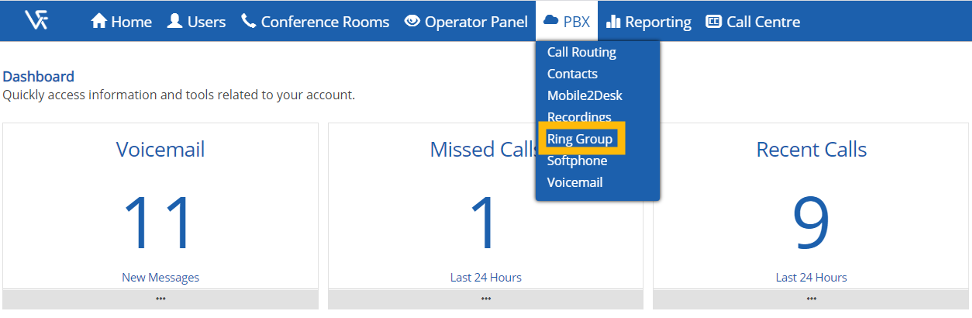
Click the pencil  button next to the ring group that you would like to edit.
Edit any of the following fields on the Ring Group screen, more details below:
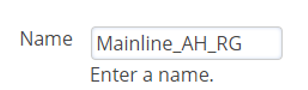
Name (Required Field): Descriptive name for the Ring Group.
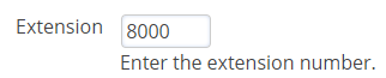
Extension (Required Field): Enter the ring group extension number. Starting from 8000, select the next available number. (ie. If your last ring group was extension 8005, the next ring group created should be extension 8006).
Greeting (Optional): Select a greeting to play upon calling the ring group extension.

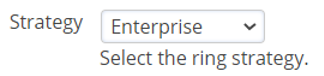
Strategy (Required Field): Select the ring group calling strategy, see below for details on each selection:
- Simultaneous - Rings all destinations at the same time.
- Sequence - Calls destinations in sequence where order that is lower goes first.
- Enterprise - Ring all destinations at the same time (This will strategy will also ring any follow-me destinations and any users with multiple SIP registrations).
- Rollover - Calls destinations in sequence and skips busy destinations.
- Random - A random destination will ring.
Destinations (Required Field): Destination numbers are the numbers for the ring group to call.
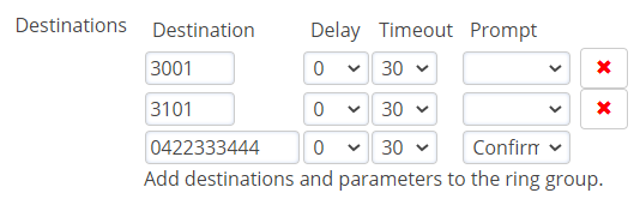
Prompt – Generally enabled for external mobile numbers in a ring group. Enabling the prompt option will request the destination number to dial a digit to confirm they would like to answer the call.
Delay – Delay is the number of seconds to delay before calling the destination.
Timeout – Timeout is the number of seconds to call the destination.

Timeout Destination (Optional): Where to send the caller if no answer.

Call Timeout (Optional): Number of seconds to wait until the call is sent to the timeout destination.
Distinctive Ring (Optional): Have the ring group play a different ring tone on the destination handsets.

User List (Optional): Add any other users that require access to change settings in this ring group.

Missed Call (Optional): Get notified via email if this ring group receives any missed calls.
Forwarding (Optional): Forward this ring group to another number.

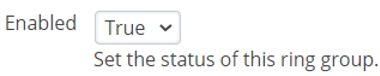
Enabled (Required): Set to True to activate the ring group.
Comments
0 comments
Please sign in to leave a comment.