
The User Dashboard displays three boxes:
- Voice Messages
- Missed calls
- Recent calls
The dashboard also displays a quick view for “Call Routing” of the user’s extension.
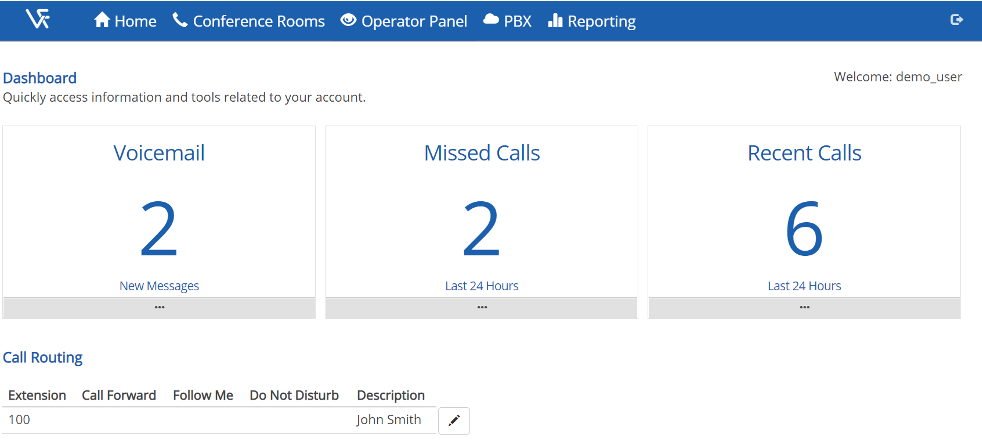
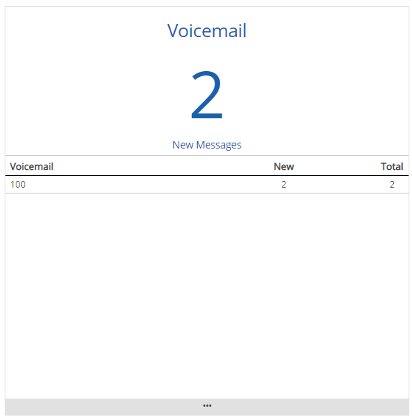
Voicemail BoxesThe Voicemail Box displays the total number of unread voicemails contained within all the voicemail inbox’s the user is associated with. Users can click on the three dots at the bottom of the box to expand and display additional details, including what voicemail boxes the user has access to, how many new, and total voicemails in each voicemail box. Users can also listen to and delete voicemails, change voicemail greetings directly from the portal by clicking on extension number in the voicemail box. |
 |
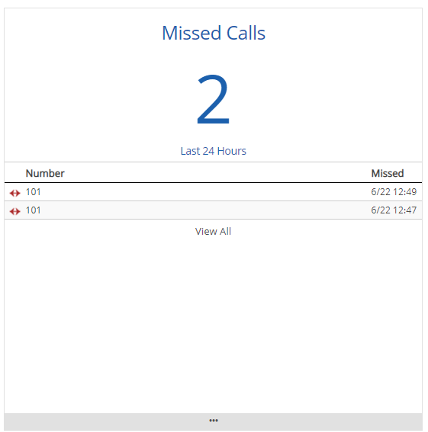
Missed Calls BoxThe missed calls box displays the number of missed calls in the last 24 hours. Expanding the missed calls box will provide additional details on the calls missed. |
 |
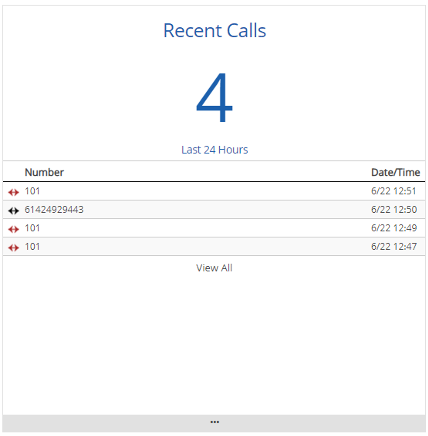
Recent Calls BoxThe recent calls box displays all the outbound and in bound calls your extensions within the last 24 hours. Expanding the recent calls box will provide additional details on the calls. |
 |
Call Routing Box
The Call Routing box displays the status of any Call Forwarding, Follow-Me or Do Not Disturb rules. Additionally, users can click on the pencil icon to make changes to any of these rules.

Comments
0 comments
Please sign in to leave a comment.